


LifeMD: Telehealth Services
4.7735.00 Reviews
App Specs
- Version
- 76.0.0
- Updated On
- License
- Free
- Downloads
- 100,000+
- Developer
- LifeMD
- Categories
- Medical
- Platform
- Android
Screenshots
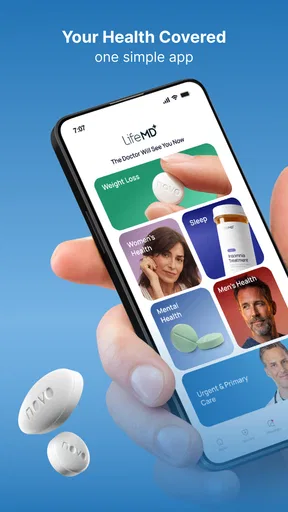
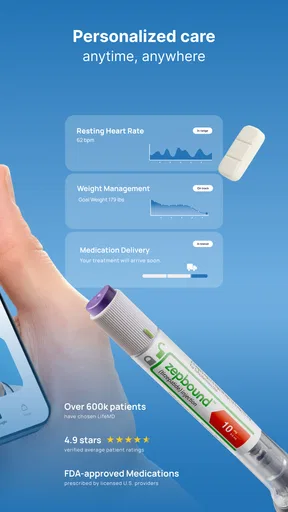
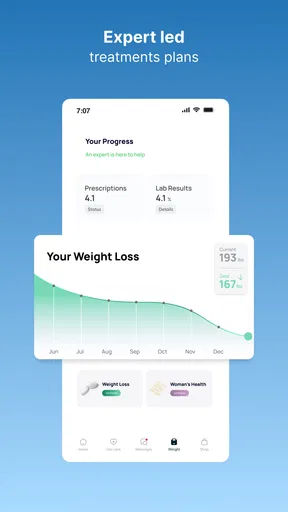
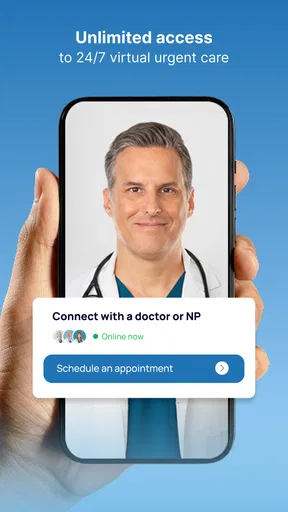
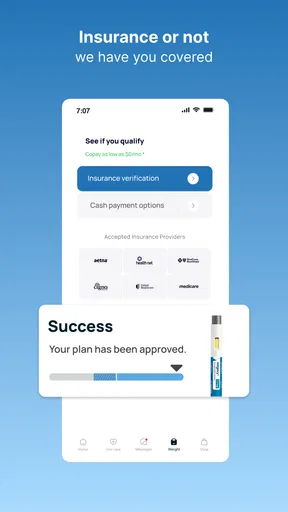
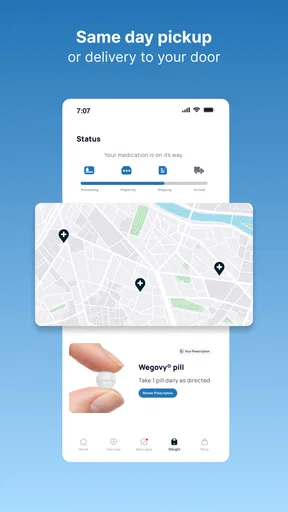
 Analysis by AppCompare
For a first-time user, the most useful way to think about LifeMD: Telehealth Services is as a place to begin a health conversation remotely, not as a replacement for every kind of care. I like that its focus brings urgent care, weight support and wellness together in one medical app from LifeMD. That can make it a practical option when arranging an in-person visit feels like a hurdle, as long as the issue is suitable for virtual care.
What to expect from a virtual visit
The main adjustment is that a phone cannot reproduce an examination in a clinic. A clinician can listen to your description and offer guidance through a virtual service, but some concerns are better assessed in person. I would use an app like this for a non-emergency question or a health need that seems appropriate for remote care, while keeping a local clinic or urgent care service in mind if symptoms call for hands-on assessment.
That distinction is worth making before you open the app. Telehealth is most helpful when you can explain what has changed, when it started and what you are hoping to resolve. It is less suited to emergencies or problems that may require tests or a physical examination. If you think you may need immediate emergency help, contact local emergency services rather than waiting for an app-based consultation.
A calmer first setup
LifeMD is a free medical app, rated Teen, and its current version is 72.0.0; it requires Android 10 or later. Its overall rating is 4.7 from around 4,100 ratings, and it has more than 100,000 installs. Those figures suggest that plenty of people have tried it, though popularity cannot tell you whether a particular service or visit will fit your own needs.
When you first open it, take a moment to read each prompt instead of rushing through setup. Health services work better when the information you enter is accurate and easy to refer to later. Before starting a conversation, I would jot down your main concern, when it began, any relevant changes, and the questions you most want answered. That small bit of preparation can keep a virtual appointment focused, especially if you tend to forget details once someone asks what is wrong.
What is LifeMD All About?
So, here's the deal—LifeMD is a telehealth app designed to connect you with licensed physicians from the comfort of your own home. Whether you're feeling under the weather, need a quick prescription refill, or just want some medical advice, this app has got you covered. It’s like having a doctor on speed dial, minus the hassle of waiting rooms and outdated magazines.
Getting Started: First Impressions
Downloading and setting up LifeMD is a breeze. Available on both Android and iOS, the app is free to download. Once you've got it installed, you'll need to sign up and provide some basic info—nothing too invasive, just the usual health details to help the docs get to know you better. The interface is super intuitive, with a clean design that makes navigation easy-peasy.
Worth Reading Before You Choose

EA SPORTS FC Mobile 26 Is a Bigger Football Game, but It Takes Time

Flipboard Shows What News Apps Must Do Beyond the Feed

Switching to Android Auto Means Rethinking Your Driving Routine

Google Calendar Makes a Crowded Week Easier to Manage

Ludo King Makes the Most of the Minutes Between Plans

Baby Panda World Brings Quick Play to Modern Phones, but Its Game Library Feels Busy
The Features That Stand Out
Now, let’s talk features. First up, the video consultations are a game-changer. You can schedule appointments that fit your busy lifestyle, and the best part? No more waiting weeks to see a specialist. The doctors are professional, friendly, and genuinely interested in your well-being. Plus, the video quality is top-notch, so no awkward pixelated faces here!
Another neat feature is the prescription service. Need meds? No problem. The app allows you to get prescriptions sent directly to your pharmacy of choice. It’s fast, efficient, and saves you a ton of time. And if you’re worried about follow-ups, the messaging feature has got your back. You can easily chat with your physician if you have any questions post-appointment.
From download to a useful next step
A realistic first success is not necessarily receiving a prescription; it is leaving a conversation with a clear plan. For example, if a new, non-urgent symptom is worrying you during a busy workday, write down what you noticed and what you want to ask, then use the virtual-care route that fits your concern. After speaking with a clinician, make sure you understand what to do next and whether you should seek in-person care if the situation changes.
For a prescription-related question, it helps to know the name of the medication and the pharmacy you would prefer before you begin. A virtual clinician still has to decide what is medically appropriate; an app should not be treated as a guaranteed route to a particular prescription. If a request cannot be handled remotely, the useful outcome may instead be clear advice about seeking another kind of care.
Everyday uses, and where telehealth has limits
I can see LifeMD being especially useful for someone who has a non-emergency concern but finds it difficult to fit a clinic visit into the day, or for a person who wants to explore the app’s weight-support and wellness services alongside urgent-care access. Having those areas under one virtual-health service may be more convenient than starting from scratch with a different app for each kind of question. It is also a reasonable option for people who live far from a clinic or have trouble getting there, provided their concern is suitable for remote assessment.
It is not automatically the best choice for everyone. If you already have a local clinician who knows your medical history, that relationship may be more valuable for ongoing or complicated care. If you need a physical examination, testing, or emergency attention, a virtual appointment may not be enough. I would also avoid choosing a telehealth app solely because the download is free: the app’s price does not tell you what a particular service or clinical visit may cost, so check the relevant details before committing to care.
Compared with searching the web, a clinician can respond to your specific situation rather than leaving you to interpret a list of possible causes on your own. Compared with a conventional clinic, remote care can save travel and waiting-room time, but it cannot provide every in-person assessment. And compared with a general appointment-booking app, LifeMD’s appeal is that it brings virtual medical support together with weight support and wellness. The trade-off is that remote care depends on clear communication and is not a substitute for every local service.
Small habits that make a visit more useful
Before a conversation, keep your notes brief: the main issue, when it began, what has changed, and the one or two questions you most need answered. Have any relevant medication names available rather than relying on memory. If you are discussing an ongoing concern, note what you have already tried and how it affected you. These details can help you explain the situation clearly without turning the appointment into a long, unfocused story.
Choose a private, quiet place where you can speak comfortably, and check that your device is ready for a video conversation if that is the format offered for your visit. If you are somewhere noisy or have an unreliable connection, rescheduling for a calmer moment may be more productive than trying to discuss sensitive health details in a rush. Afterward, write down the clinician’s guidance and any next steps while they are still fresh.
One point that can confuse newcomers is the difference between downloading the app and arranging care. The app itself is free to download, but that alone does not mean every consultation or service is free. I would review the details for the specific care option before proceeding, and check whether the service is appropriate for your location and needs. If your aim is simply to learn general health information, a reputable public health resource may be enough; if you need personal advice, a clinician is the more relevant route.
Why Choose Telehealth?
Alright, let's be real for a sec. With everything going on in the world, telehealth is becoming more and more essential. Apps like LifeMD are not just about convenience; they’re about accessibility. Whether you live in a rural area, have mobility issues, or just hate the idea of sitting in a germ-filled waiting room, this app offers a fantastic alternative.
Plus, it’s a great option for those of us who love to travel. Imagine getting medical advice while sipping a cocktail by the beach. Sounds dreamy, right?
Before you decide to use it
For a first-time user, the best question is not simply “Can I do this online?” but “Is this the kind of concern a clinician can reasonably assess remotely?” If the answer seems uncertain, describe the issue honestly and follow the clinician’s direction about whether another setting is needed. I would choose a conventional clinic when an examination matters, and emergency services when waiting is unsafe. LifeMD is most compelling in the middle ground: getting appropriate medical guidance without making travel the first step.
Another practical question is what happens after the initial conversation. The app’s described messaging and prescription options can help with follow-up or a medication request, but they do not remove the need to understand the clinician’s instructions. Keep track of any advice, and use the appropriate local service if the concern worsens or the plan calls for an in-person visit. That is a more sensible way to use telehealth than expecting one remote appointment to settle every future question.
Wrapping It Up: My Final Thoughts
So, is LifeMD worth checking out? Absolutely! It’s a reliable, straightforward app that brings healthcare to your fingertips. The convenience, combined with professional service, makes it a must-have in today’s fast-paced world. Whether you’re tech-savvy or a bit of a newbie, you’ll find this app user-friendly and incredibly helpful.
If you’re on the fence about telehealth, I’d say give it a shot. It’s a whole new way to manage your health, and honestly, I’m here for it. So go ahead, download LifeMD, and take control of your healthcare journey today!
My recommendation is measured rather than universal: I would try LifeMD when I want a convenient starting point for a suitable virtual-care question, and I would keep a clinic or emergency option for needs that require more. Its 4.7 average and more than 681 written reviews offer a useful snapshot of user response, not a promise that every appointment will match my experience. If you approach it with a clear concern, realistic expectations and a willingness to follow advice beyond the screen, it can make the first step toward care feel more manageable.
Pros
- Convenient access to healthcare professionals.
- User-friendly interface with easy navigation.
- Offers virtual consultations 24/7.
- Wide range of specialties available.
- Secure and private communication channels.
Cons
- Requires a stable internet connection.
- Limited in-person interaction with doctors.
- May not cover all medical conditions.
- Subscription fees can be pricey.
- Availability may vary by location.
FAQs for LifeMD: Telehealth Services
What services does LifeMD offer?
LifeMD provides a comprehensive range of telehealth services, including virtual consultations with licensed physicians, prescription management, and personalized health advice. The platform caters to various medical needs, such as primary care, specialist consultations, and mental health support, all accessible from the convenience of your smartphone or tablet.
How do I schedule an appointment with a doctor on LifeMD?
Scheduling an appointment on LifeMD is straightforward. After downloading the app, you can register and fill out your medical information. Then, browse the available doctors and select a convenient time slot for a virtual consultation. The app offers flexibility, allowing you to book appointments at your convenience.
Is my personal information secure on LifeMD?
Yes, LifeMD takes your privacy seriously. The app employs advanced encryption protocols to safeguard your personal and medical information. LifeMD complies with HIPAA regulations, ensuring that your data is protected from unauthorized access and remains confidential during and after consultations.
Can I use LifeMD if I have an existing prescription?
Absolutely. LifeMD allows you to manage existing prescriptions seamlessly. During your consultation, inform the physician about your current medications. The doctor can help with prescription refills or adjustments as needed. The app also partners with pharmacies to facilitate easy prescription delivery or pickup.
What devices are compatible with the LifeMD app?
LifeMD is compatible with a wide range of devices. You can download the app on both Android and iOS platforms, ensuring accessibility via smartphones and tablets. The app is designed to provide a smooth user experience across different devices, making it easy to connect with healthcare professionals from anywhere.


